Make a Music Card Game from a Tidal Playlist
Paste the link to a public Tidal playlist and Hitify turns it into a guess-the-year card game. No Tidal login on our side, and no subscription needed to build the pack. At the table your household can stay in Tidal: the scanner lets you pick Tidal as the playback service. Free up to 100 cards.
Make Your Game, FreeFrom Tidal playlist to printed cards
One link is all it takes. We handle the track list, the matching and the years.
Make the playlist public and paste the link
We cannot read a private playlist, because we never sign in to your account. Set it to public, copy the link and paste it into Hitify.
We match by ISRC
Tidal supplies an ISRC for most tracks. That code belongs to the recording itself, so we tie the card to the right version and use it to check the year.
Download the PDF and play
Pick a card style, download the PDF and print. Scan, listen, guess the year. Want proper card stock instead? Order printed cards.
Built for people who care which recording it is
Playlists only, and it says so
Paste a tidal.com/browse/playlist or listen.tidal.com/playlist link. Album and artist URLs are rejected with a clear message, so nothing fails silently.
Matched by ISRC, not by title
An ISRC identifies the recording rather than the song title, so a live take or a remaster is not quietly swapped for a different one.
Years verified against MusicBrainz
That same ISRC is what we use to check the release year against MusicBrainz, which stops a 2011 remaster from dating a 1973 song wrong.
Play in Tidal at the table
The QR code opens a Hitify page that plays the song. Open the Hitify scanner, set Tidal as the playback service, and a Tidal household plays in Tidal.
What the import does and does not do
Every card ultimately plays through Spotify, so each Tidal track is matched to its Spotify equivalent. When the importer cannot find one, that track gets no card. After the import you are told how many of your tracks matched, so you never have to guess what ended up in the pack. One playlist imports at most 500 tracks.
The QR code on the card always opens a Hitify page. Tidal households can play in Tidal because of the Hitify scanner, where you set Tidal as the playback service. Alongside Tidal we import from Spotify, YouTube Music, Deezer and Apple Music. For Apple Music we read catalogue playlists and playlists shared with a public link, but not a private library playlist, so share it first and paste that link. Ready? Paste your playlist.
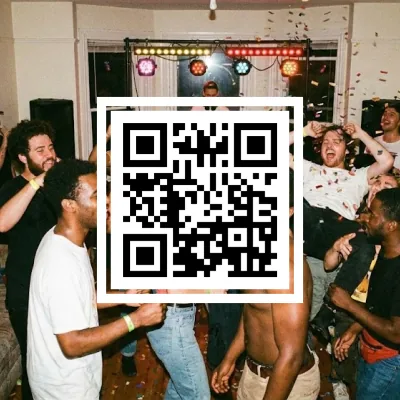
5 unique styles
From clean black and white to your own photo on the front.
Start free
Your first 100 cards are free as a PDF, no account. Larger packs cost a few euros.
What players say
based on 34 reviews
This was an awesome idea. We love having game nights with our friends. We 10/10 recommend especially if you love music games as much as we do.
It works! Nice game for music lovers.
This site is awesome. So much fun to create your own cards and play them with friends. If I could give 6 stars I would.
I really useful for upgrade this game the official song card is a bit less
Amazing project. With just a few clicks your own Spotify playlist is turned into a Hitster game. Keep it up. The pricing is also really very fair
Easy to use, and the result is exactly what I expected!
Easy to use. Happy with my own cards.
Super simple process, works like a charm!
Great for creating your own cards and QR codes. Plus you play with the same app
Beautiful idea and a beautiful app, fast and easy to use
Worked perfectly! Thank you so much!
Best app for creating cards for a music game!
It was really great. I made a birthday playlist for a friend, and with Hitify she could play her own personal Hitster. 🥰
Works great and nicely priced.
Really nice and easy!
So incredibly easy to do, and so much fun for adding a personal touch to a party, a special event or any other occasion. Really recommended. You can let your creativity run wild, or just go for convenience and let it do the work for you.
Nice to be able to turn your own playlist into a Hitster-like game. The only downside is that you hear the songs without the intro.
Being able to create new card packs for Hitster is a real treat. A great app.
Quick and smooth. Easy to create your own playing cards. There are no limits. I recommend it
Very easy-to-use app. I especially like that you can submit a correction for the year, and if it's right it gets applied straight away. The different ways to vary the printout are great too. Highly recommended!
Great service. It was super fast, it works without any problems and looks really great.
Frequently asked questions
Which Tidal links can I paste?
Links to a public playlist: tidal.com/browse/playlist/... or listen.tidal.com/playlist/... Paste an album or artist link and you get a message telling you only playlists work.
Do I need a Tidal account or subscription?
Not to build the pack. We never sign in to Tidal and only read public playlists. To listen in Tidal at the table you naturally need Tidal yourself.
Can we play the songs in Tidal instead of Spotify?
Yes, through the Hitify scanner. The QR code opens a Hitify page, and in the scanner you set Tidal as the playback service. The QR code itself does not link straight to Tidal.
Why did some tracks not become cards?
Because no Spotify equivalent could be found for them, and a card has to be playable through Spotify. The importer reports how many tracks did match.
How many tracks can one playlist have?
We import up to 500 tracks per playlist. Got more? Split the playlist and import it in parts.
What does it cost?
Your first 100 cards are free as a PDF download, no account needed. Printed cards can be ordered if you want them on real card stock.
Paste your Tidal playlist
A public playlist, one link, cards in a few minutes. First 100 cards free.
Make Your Game, Free