Hitster Card Template: the Layout, and a Way to Fill It
A Hitster-style card is two sides that land on each other exactly: a QR code on the front, the title, artist and release year on the back, cut to about 6.5x6.5 cm. Below is the full spec if you want to design your own, plus a way to get that same layout filled in automatically as a print-ready PDF.
Get a Filled-In PDFWhat a Hitster-style template has to contain
A music card is deliberately plain: everything that gives away the answer belongs on the back, and the front is only allowed to play the song. Here is what you need:
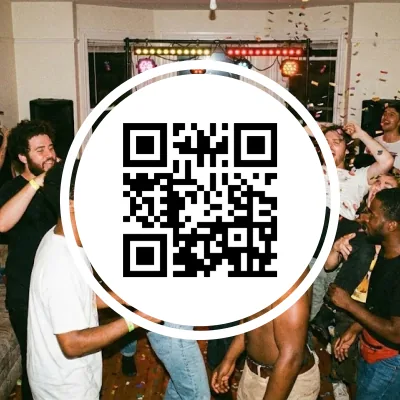
- Front: a QR code and nothing else. No title, no artist, no year. One code linking to that one track, with a clean white margin around it (the quiet zone) so any phone camera locks on.
- Back: year, title, artist. The year is the largest element, because it is the answer; title and artist sit under it. Keep contrast high, this gets read at arm's length.
- Size: about 6.5x6.5 cm. That is the size of the boxed Hitster game. Stray from it and your cards can no longer be shuffled into an existing deck.
- Two sides that line up. For duplex printing the grid on the back sheet has to be mirrored horizontally, or card 1's year ends up behind card 4. Flip on the short edge and set scaling to 100%.
- Cut margin and guide lines. Leave a few millimetres around the text so a slightly crooked cut does not take a letter with it.
If you want to draw this in your own style, go ahead: the specs above are all you need. If you would rather not fill the same box in a hundred times, read on.
What a blank template still leaves you to do
The layout is the easy half. Two things eat the time, and they are where hand-made decks usually go wrong.
A QR code per song
Every card needs its own code. With an external generator that means, per song: find the link, generate the code, download it, paste it into the box. A hundred songs is that round trip a hundred times.
The correct, original year
This is where decks really break. Streaming services often show the year of the remaster, the compilation or the reissue, so a 1979 track prints as 2011. Type it across and you print the mistake.
Alignment that stays true
Add one song or drop one and the whole back sheet shifts. Placed by hand, that means checking every sheet again from the top.
Designing your own is fine
If you want your own look, do it: the spec above is complete. It is only the QR codes and the years that are better generated than retyped.
From playlist to a filled template in 3 steps
The same layout, just not filled in by hand. What comes out is a print-ready PDF.
Pick your songs
Paste a Spotify, YouTube Music, Tidal, Deezer or Apple Music playlist, or search manually. Choose from millions of tracks.
The template gets filled
Every song automatically gets its own QR code on the front and a release year verified through MusicBrainz and ISRC on the back.
Print or order
Download the print-ready PDF, print double-sided on sturdy paper and cut to ~6.5x6.5 cm. Or order professionally printed cards.
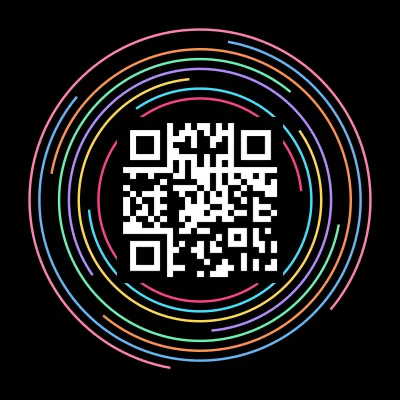
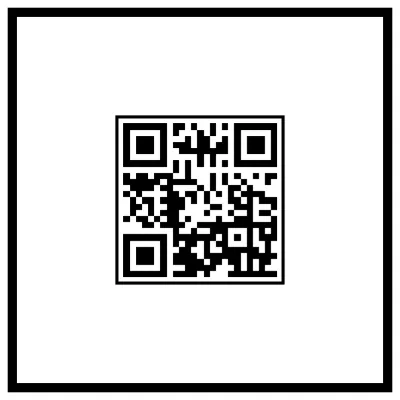
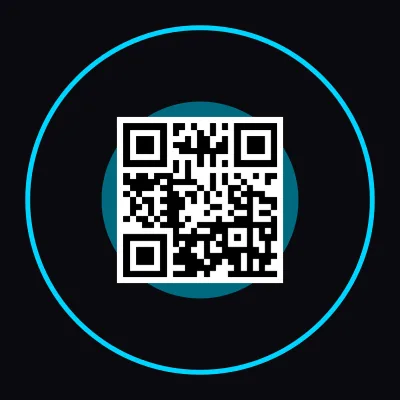
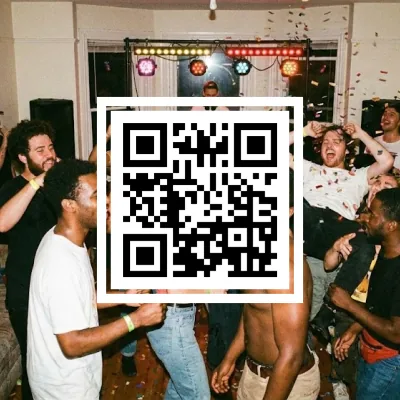
5 finished takes on the template
From classic to a version with your own photo. Every style keeps the same size and the same alignment.
Your first 100 cards are free
The filled-in PDF is free up to 100 cards, no account needed. Larger packs (500 or 1000 cards) cost just a few euros.
What players say
based on 34 reviews
This was an awesome idea. We love having game nights with our friends. We 10/10 recommend especially if you love music games as much as we do.
It works! Nice game for music lovers.
This site is awesome. So much fun to create your own cards and play them with friends. If I could give 6 stars I would.
I really useful for upgrade this game the official song card is a bit less
Amazing project. With just a few clicks your own Spotify playlist is turned into a Hitster game. Keep it up. The pricing is also really very fair
Easy to use, and the result is exactly what I expected!
Easy to use. Happy with my own cards.
Super simple process, works like a charm!
Great for creating your own cards and QR codes. Plus you play with the same app
Beautiful idea and a beautiful app, fast and easy to use
Worked perfectly! Thank you so much!
Best app for creating cards for a music game!
It was really great. I made a birthday playlist for a friend, and with Hitify she could play her own personal Hitster. 🥰
Works great and nicely priced.
Really nice and easy!
So incredibly easy to do, and so much fun for adding a personal touch to a party, a special event or any other occasion. Really recommended. You can let your creativity run wild, or just go for convenience and let it do the work for you.
Nice to be able to turn your own playlist into a Hitster-like game. The only downside is that you hear the songs without the intro.
Being able to create new card packs for Hitster is a real treat. A great app.
Quick and smooth. Easy to create your own playing cards. There are no limits. I recommend it
Very easy-to-use app. I especially like that you can submit a correction for the year, and if it's right it gets applied straight away. The different ways to vary the printout are great too. Highly recommended!
Great service. It was super fast, it works without any problems and looks really great.
Frequently asked questions
What size are Hitster cards?
About 6.5x6.5 cm, square. That is the size of the boxed game, so cards you make at that size shuffle straight into an existing deck. Always print at 100% / actual size, or the measurement will be off.
What goes on the front and what goes on the back?
Front: only the QR code, nothing else, or you give the answer away. Back: the release year as the biggest element, with the title and artist underneath.
Do you have a blank template to download?
No, we do not sell a blank file. The full layout is written out above, so it is easy to redraw. What we give you is the filled-in version: a print-ready PDF with the QR codes and years already in place, free up to 100 cards.
How do I make the QR codes?
Each code has to link to that one track and scan with a phone's normal camera mode, with no app installed. Hitify generates that code per song and places it in the template for you.
Which year belongs on a card?
The original release year, not the remaster or the greatest-hits year. We verify every year through MusicBrainz and the track's ISRC code, precisely because streaming services often report the wrong one.
Can I still design my own?
Absolutely. Some people want their own design, and there is nothing wrong with that. Use the specs above and spend your time on the look rather than on retyping a hundred years.
Would you rather have the template already filled?
Paste your playlist and get the same layout back with QR codes and verified years in it. Your first 100 cards are free, no account needed.
Get a Filled-In PDF